

Lesson 7 of 8
Connecting AI to your tools
12 min read
Your AI can write a flawless email about your calendar — but it can't open it. Then, almost overnight, assistants learned to reach into your apps. What changed?
First, you were the courier
Not long ago your AI sat in its own window, walled off from everything else. Want it to summarise an email? You opened your mail, copied the whole message, pasted it into the chat, and only then asked. The AI couldn't look in your inbox itself — you carried the text across by hand, every single time.
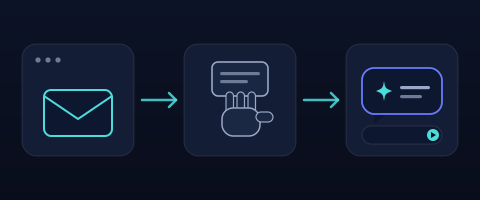
At first the AI was sealed off. It only knew what you pasted in by hand.
A cable for every pair — then one shared port
Then connectors arrived. Hook your mail up to your AI and you could ask for that summary straight from your inbox — no more copy-paste. Brilliant, until you count the wiring. Every AI app had to build its own connector to every tool: one for mail, one for calendar, one for Slack — and a whole new set again for the next AI app.
The matrix below is that wiring, and you can grow it. Apps on the left, tools on the right; add a few of each and watch the cables multiply — a separate one for every pair. It gets out of hand fast, because the count is apps times tools, and every one of those cables is a thing to build, keep updated, and fix whenever a tool changes. Then flip on one shared port and the tangle collapses: each app plugs into the port once, each tool plugs in once, and the count drops to apps plus tools. That shared port is the whole idea of MCP.
This is a scaling law you can feel. A cable per pair grows like apps times tools — ten of each is a hundred connectors to build and keep alive, and every one is another thing that can break. MCP turns that into apps plus tools: build a tool for the port once and every AI app that speaks the standard can use it. MCP stands for Model Context Protocol, but think of it as the USB-C of AI tools — one port instead of a drawer of cables.
Who's actually talking to whom
One shared port still leaves a question: when you ask, what actually happens? Follow a single request end to end. You talk only to the app — your chat or assistant. Inside it, a small connector opens one line out; at the far end, every tool has an adapter that knows how to answer. Your request travels down that chain to the tool, and the answer travels back up the same way. Their formal names are host, client and server — but you only ever see the first. Switch the tool below and watch the same five parts, the same path, carry a completely different job. The catch sits at the far end: a tool only plugs in once someone has built its adapter for the port. Do that once, though, and it's done for every AI app at once — which is exactly the bargain MCP offers.
Three parts do the work and you only talk to the first: the app you use (the host), the connector inside it (the client), and each tool's adapter (the server). One protocol wires them all, so any tool built for it works with any app that speaks it.
Under the hood, if you're curious: the messages between them are just plain text, in a format called JSON-RPC. You never see it — the app speaks it for you.
Recap
- —At first you copied and pasted everything into the AI by hand
- —Then connectors let it reach your apps — but a cable for every app-and-tool pair piles up as apps times tools
- —MCP is one shared port: build a tool for it once and every AI app can use it — apps plus tools, not apps times tools
A brand-new notes app wants to work with every AI assistant out there. With MCP, how many connectors does it build?
Continue in the app
Take the whole AI from Scratch course — tracked
Get your personalized path, progress and streaks in the app — this lesson and every next one, in order.